
Make product review videos with AI: from product footage to an MP4 with a voice-over
Have product footage but no words yet? Type a few keywords, the sale price (for example “was $59, now $29”) and a reading style such as funny, cheeky or upbeat. ChatGPT watches the frames and writes a review that fits the video's length, DubLocal Studio reads it with an AI voice, adds arrows at the price and covers personal info, then exports an MP4 for TikTok, Reels and Shorts.
Card payment for international customers is coming soon.
Updated October 2026 · The DubLocal team
How to make a product review video with AI
- 01
Open the product video
Open your product footage or a screen recording of the shop; a video with no speech works too.
- 02
Write a review script
On the Source step press Write a review script (or the tab of the same name in Quick translate), and fill in Reading style and Script / keywords: price, product name, offer.
- 03
ChatGPT writes the voice-over
ChatGPT watches the frames and writes in exactly that style, using the prices and names you gave, to fit the video's length; edit any line on the Script step.
- 04
Voice, arrows and export
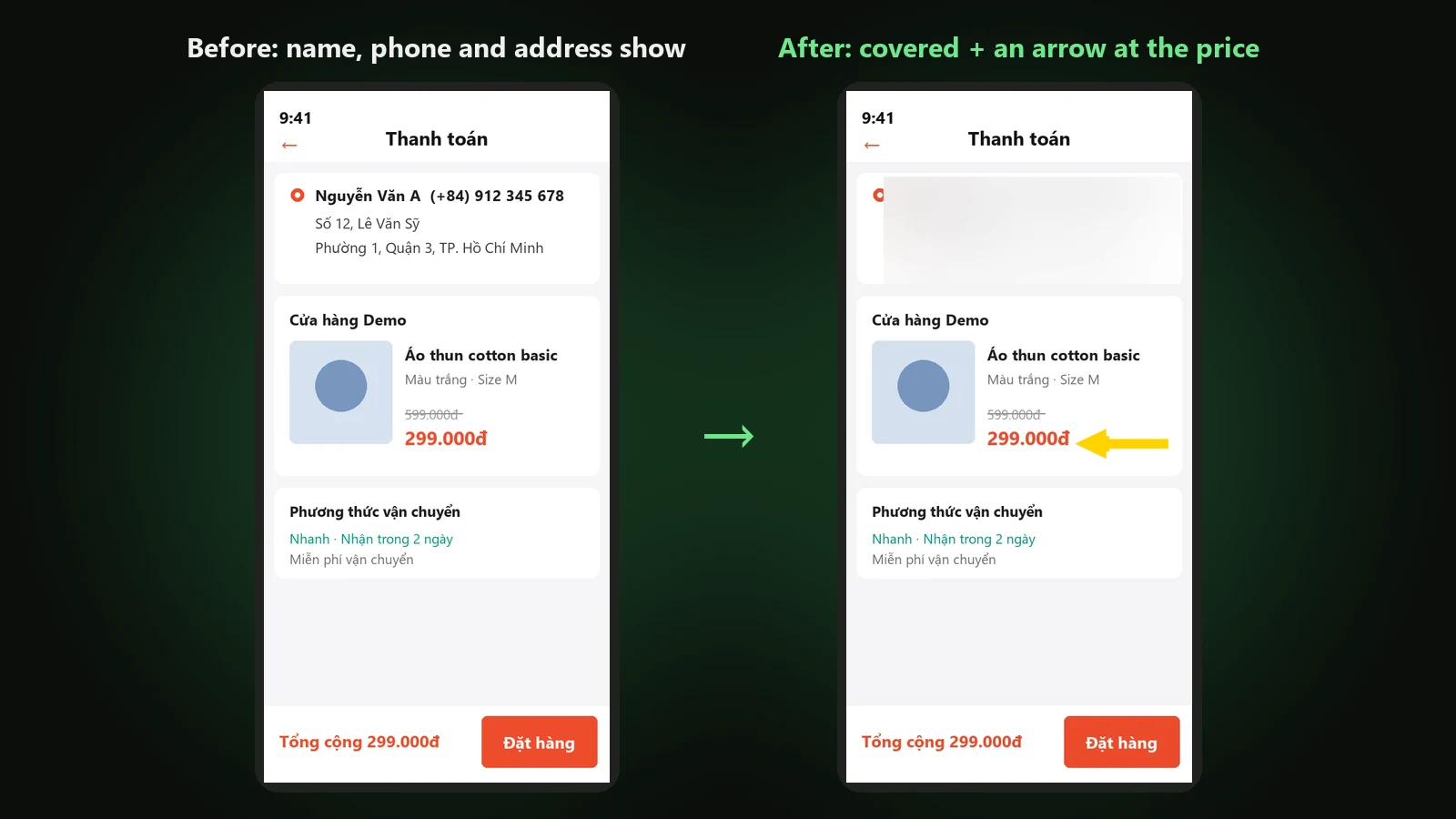
Pick a voice, add an arrow at the price (it comes with a ding), cover the address if it shows, press Create the preview, then export the MP4.
Your own reading style and keywords
Reading style takes any description: funny, cheeky, upbeat, classy, gentle storytelling; tap the ready-made suggestions to add one quickly. Script / keywords holds the facts you want said: product name, list price and sale price, free gifts, discount codes. ChatGPT treats them as the facts, adds none of its own, and both are saved with the project for the next translation.
8 genres in Quick translate
When the video has speech in another language, Quick translate follows the genre you pick, with the style and keywords above:
- Historical / time-travel drama, Modern drama: forms of address that fit the setting
- Film review / recap: a narrator's voice that keeps the suspense
- Product / sales: short, upbeat lines, the right use and price
- Tech review: clear, keeps model names, terms and specs
- Travel / vlog, Food / cooking: friendly, vivid, the right places and amounts
- Knowledge / explainer: clear, standard terms, steps in the right order
A review that fits the video's length
The voice-over is written for the length of the video: not so long that it gets cut, not so short that the video goes quiet. Each line has its own timing; edit the words or drag a line's block to change its pace on the Script step.
Arrows at the price, frames and cover info
Draw an arrow right on the player to point at the price, the buy button or the item: it bounces the way it points, turns to any angle, takes your colour and plays a “ding” when it appears. A rectangle frame marks a detail to look at. If a screen recording of the order shows your address, turn on Cover info and Studio blurs it.
Batches from scripts you already have
In batch mode, choose Read your own script and drop each video with a .txt or .srt file of the same name. Fill in Reading style and ChatGPT rewrites every line in that style, keeping its timing and fitting what can be read in it; leave it empty and Studio reads your script as it is.
Watch DubLocal Studio from start to finish (Vietnamese audio)
The tutorial covers installing, opening a video, transcribing, translating, casting, generating voices and exporting MP4.
Frequently asked questions
Does it need ChatGPT?
Yes, writing the script and rewriting in a style use your own ChatGPT account, signed in inside Studio. Reading your own script without a style does not need ChatGPT.
Does it work for a video with no speech?
Yes, that is the main case: ChatGPT watches the frames and writes the words from scratch from your keywords, prices and style.
Will the review make up prices or details?
ChatGPT is told to use only the names, numbers, prices and offers you give and to add no facts of its own; read it over before exporting anyway.
Which language is it written in?
In the output language you choose, for example English for an international channel or Vietnamese for a Vietnamese one.
Can the ding be turned off?
The ding comes with an arrow; use a Frame instead of an arrow to mark something without a sound.