
AI video dubbing software that runs on your own PC
DubLocal Studio turns a video in one language into a dubbed video in another: it transcribes the dialogue, translates it, gives every character an AI voice and exports an MP4 with subtitles. It runs on Windows, keeps your projects on your computer and is licensed by time, not by the minute.
Card payment for international customers is coming soon.
Updated October 2026 · The DubLocal team
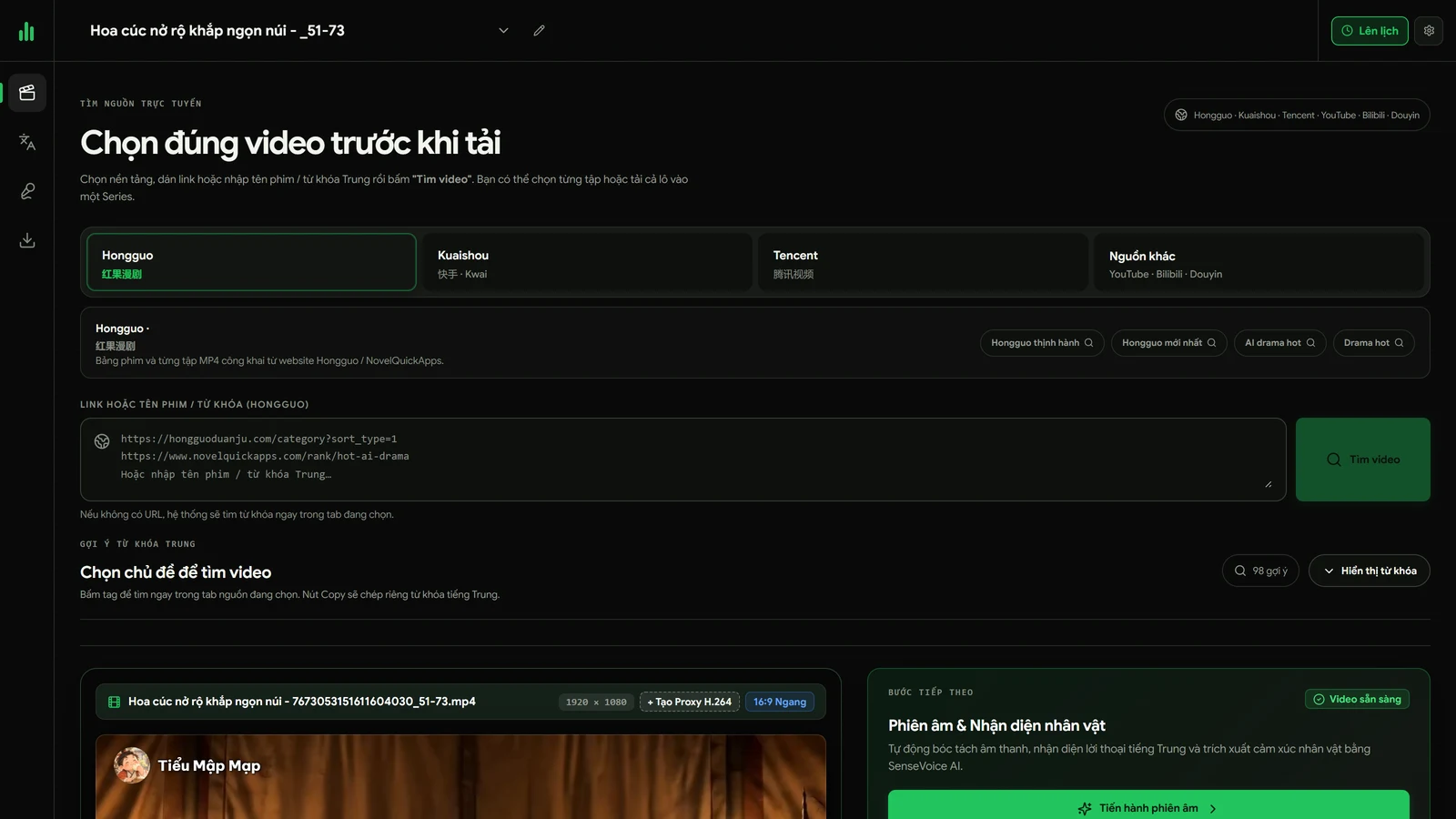
How to dub a video with AI
- 01
Open the video
Drop a video from your PC into Studio and pick the original and the dubbing language.
- 02
Run all
One click separates speech from music, transcribes the dialogue, translates it and splits it by speaker.
- 03
Review the script
Fix any line: translation, timing, speaker or reading speed, right in the table.
- 04
Cast the voices
Give each character an AI voice, keep their original voices, or choose one narrator.
- 05
Export
Render an MP4 with the music and effects kept, plus subtitles and an SRT file.
The whole workflow in one minute
Open a video, run all, edit the script, cast the voices and export, recorded in DubLocal Studio.
Four ways to dub one video
Choose the mode in the Script step, per video:
- Character dubbing: an AI voice per character, acted to the scene
- Original voices: characters speak the new language in their own voice
- Narration: one voice-over for the whole video, the original turned down
- Subtitles only: keep the original audio and add translated subtitles
10 languages, any direction
English, Chinese, Japanese, Korean, Thai, Vietnamese, French, Spanish, Indonesian and German, in any pair: Chinese to English, English to Spanish, Korean to English and so on. Dubbing into languages other than Vietnamese uses Studio's Multilingual pack, installed from inside the app.
Your videos stay on your computer
Transcription, voice generation and rendering run locally on Windows 10 or 11. An NVIDIA graphics card makes it much faster; without one Studio still works on the CPU. Translation can use your own ChatGPT account, or you paste a translation you made elsewhere.
Pay for time, not minutes
Online dubbing services usually bill per minute of video. A DubLocal license runs for a period of time with no limit on videos or length, so long films and whole series cost the same.
Watch DubLocal Studio from start to finish (Vietnamese audio)
The tutorial covers installing, opening a video, transcribing, translating, casting, generating voices and exporting MP4.
Frequently asked questions
What is the best AI dubbing software for long videos?
For long films and series, software that is not billed per minute and lets you fix every line matters most. DubLocal Studio runs on your PC, has no limit on video length and lets you edit the script, speakers and voices before exporting.
Does DubLocal work offline?
Transcription, voices and rendering run on your computer. You need the internet to sign in, download the AI models the first time and, if you use it, to translate with ChatGPT.
Which languages can it dub?
10 languages in any direction: English, Chinese, Japanese, Korean, Thai, Vietnamese, French, Spanish, Indonesian and German.
Can each character have a different voice?
Yes. Studio splits the dialogue by speaker and you assign a voice per character, or keep each character's own voice with the Original voices mode.
Are there English AI voices ready to use?
Yes. The voice library is sorted by language and the Voices step opens on the dubbing language, so an English project shows its English voices first. With OmniVoice, any voice in the library reads all 10 languages.
Does it keep the background music?
Yes. Studio separates speech from music and sound effects, replaces only the speech and keeps the rest. To drop the music and songs but keep the sound effects, choose “Remove music, keep sound effects” when you click Run all.
Can I use it on a Mac?
Not yet. DubLocal Studio is a Windows 10 and 11 desktop app.